Rules you could read out loud
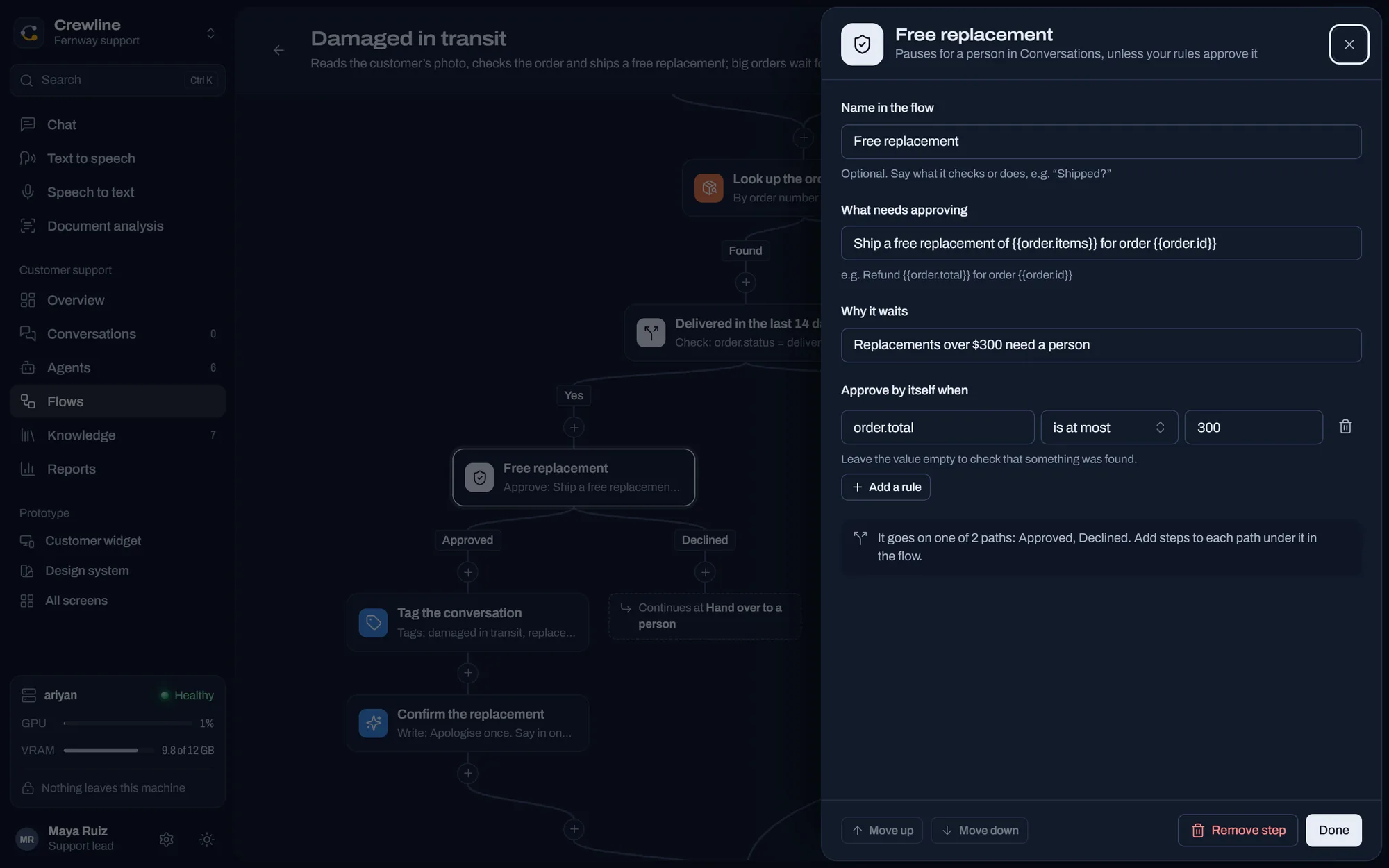
Move the limit and watch which real orders would be handled and which would wait for you. On the test day it was set to $300.
Approve by itself when the order is at most $300
- Order 1235, Return, light set, $62.29: Handled on its own
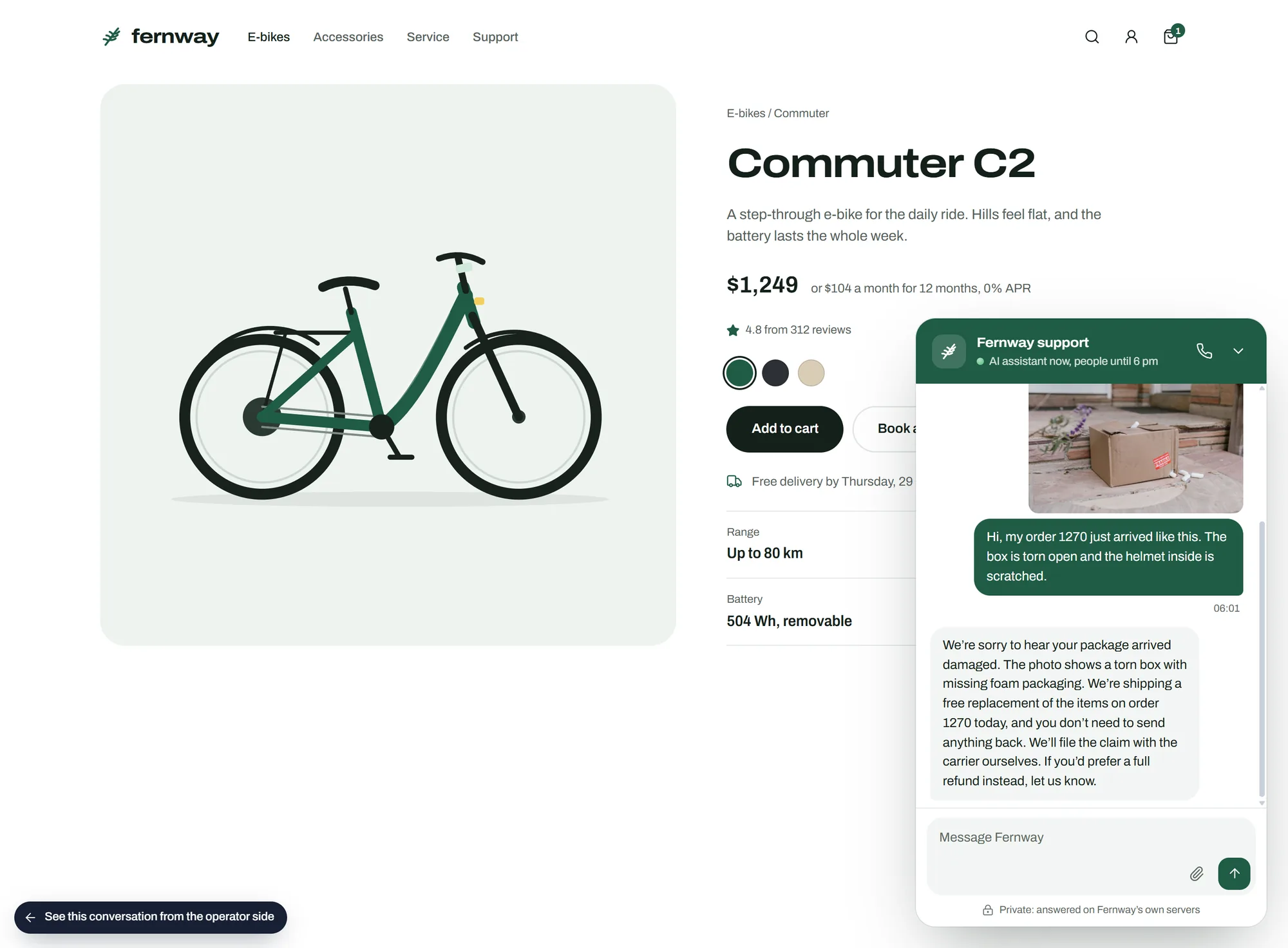
- Order 1270, Replacement, torn box, $150.08: Handled on its own
- Order 1263, Return, fast charger, $193.58: Handled on its own
- Order 1258, Return, Commuter C2, $1,444.20: Waits for you
Every step shows what it did
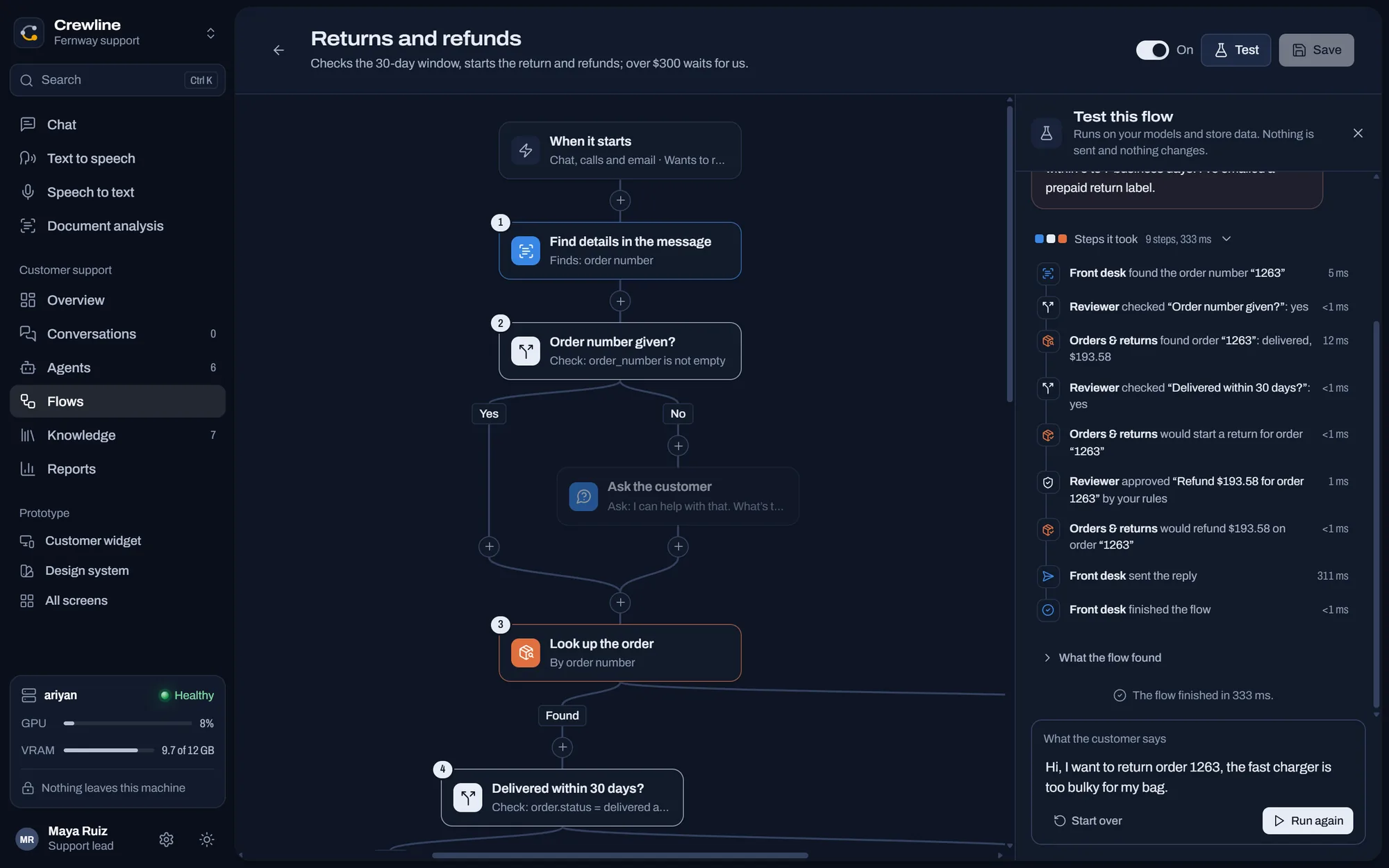
This is a test run from the app. A test uses your real models and store data, and it doesn't send or change anything.
"Hi, I want to return order 1263, the fast charger is too bulky for my bag."
- Front desk found the order number "1263" (<1 ms)
- Reviewer checked "Order number given?": yes (<1 ms)
- Orders & returns found order "1263": delivered, $193.58 (2 ms)
- Reviewer checked "Delivered within 30 days?": yes (<1 ms)
- Orders & returns would start a return for order "1263" (<1 ms)
- Reviewer approved "Refund $193.58 for order 1263" by your rules (<1 ms)
- Orders & returns would refund $193.58 on order "1263" (<1 ms)
- Front desk sent the reply (256 ms)
- Front desk finished the flow (<1 ms)
The flow finished in 261 ms. Nothing was sent and nothing changed
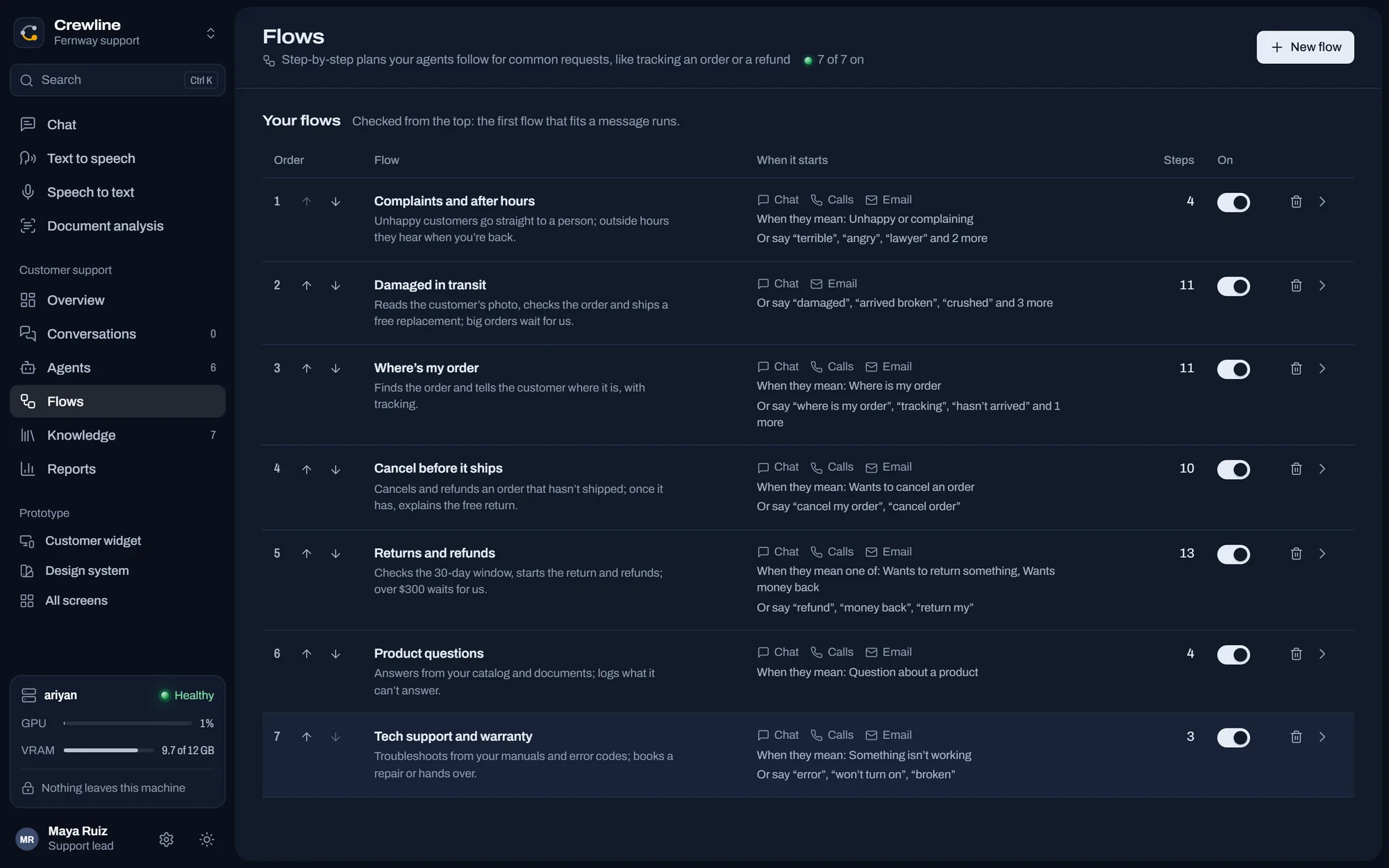
Seven flows ran the test day
Five came from templates and two were built for this shop. They're checked from the top, and the first one that fits a message runs.
- Complaints and after hoursAngry customers go straight to a person

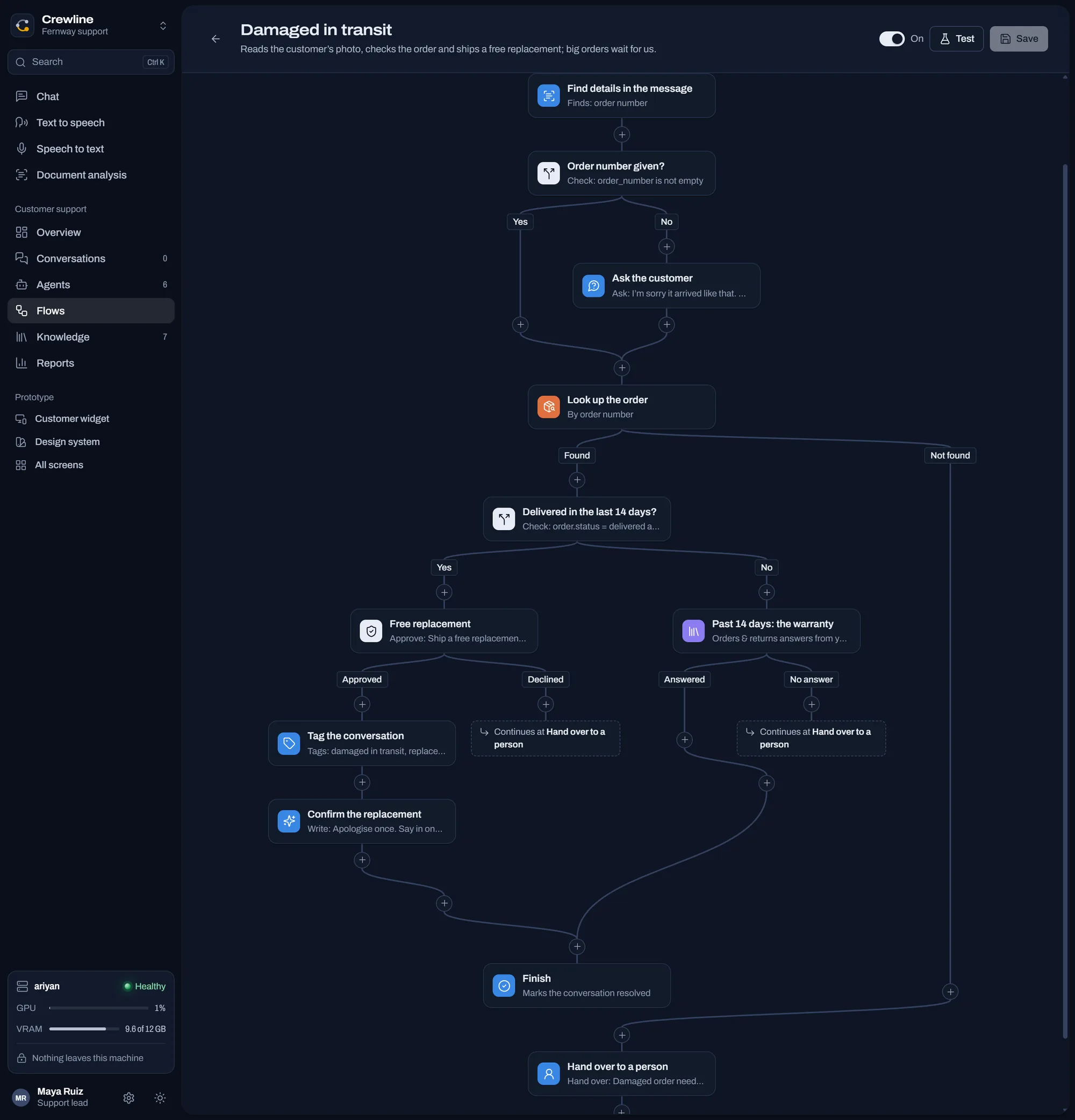
- Damaged in transitReads the photo and ships a free replacement

- Where's my orderFinds it and gives the carrier and tracking number

- Cancel before it shipsCancels and refunds orders that haven't left

- Returns and refundsChecks the 30-day window and your limit

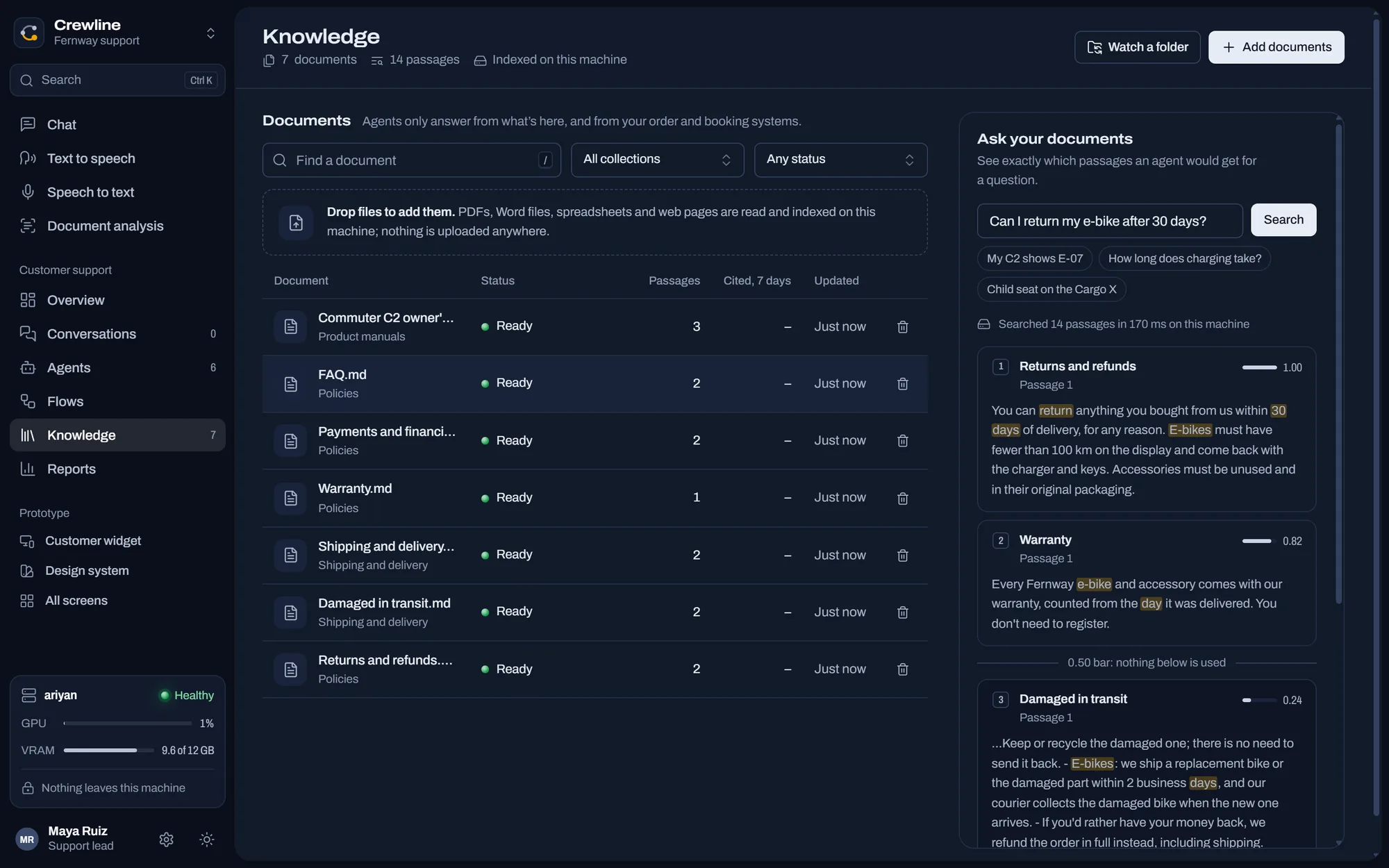
- Product questionsAnswers from the catalog and your documents
- Tech support and warrantyWorks through the manual's error codes
Building one
What it doesn't do yet
Does the money actually move?
Not yet. Crewline records the refund, the order changes and the customer is told. You still press the button in your store or payment provider until those connections exist.
Can a flow call my other tools?
No. Flows work with what's inside Crewline: your imported orders, your documents and your agents.



Put someone on the board
Download for Windows228 MB. Windows 10 or later, 64-bit.